Indonesia e-CD (Electronic Customs Declaration)
Arrival Card Asia | Bea Cukai e-CD
August 13, 2026
✈️ Before You Go
Before you land in Bali or Jakarta, skip the paper chaos and fill out Indonesia’s Electronic Customs Declaration (e-CD) online—it’s mandatory for every traveler, including kids, within 3 days of arrival. Based on recent applications, Most people finish in under 10 minutes, but the queue at the airport kiosk can eat 30–45 minutes if you wait. The a common point of confusion? You still need to show the QR code even if you have nothing to declare—and many travelers forget that the form requires your flight number and seat number, which aren’t on your booking confirmation. A practical note: save the PDF or screenshot of the QR code on your phone *and* take a paper printout. The airport Wi-Fi often crashes, and offline access saves you from being sent to the back of the line. Also, do it for your entire family in one session—you can add multiple travelers per submission. Don’t let a tiny form ruin your first day in paradise.
⚠️ Important Notes
Fill Time Window
Complete within 3 days before arrival
Cost
Free
0- • Every traveler (including children) must complete their own electronic customs declaration (e-CD)
- • Families can submit a combined declaration by selecting the 'Family' option — but each member's info must still be entered individually
- • Declare cash or valuables exceeding 100 million Indonesian Rupiah (approx. USD 6,500)
- • Bali, Jakarta, and other major airports now require the e-CD QR code at immigration — without it you may be asked to re-fill
- • Indonesia visa (e-VOA or visa on arrival) must be obtained separately — customs declaration does not equal a visa
- • e-CD is run by the Indonesian Customs (Bea Cukai) — ecd.beacukai.go.id is the only official portal
- • e-CD interface is bilingual (Indonesian/English) — refer to the English labels if you are unsure about Indonesian terms
- • Electronics (phones, laptops, etc.) must be declared with brand, model, and quantity — especially new/sealed items
- • Submit e-CD online within 3 days before arrival. Screenshot the QR code — airport free Wi-Fi may be unstable
- • Indonesian customs strictly enforce cigarette and alcohol limits — exceeding the duty-free allowance (200 cigarettes / 1L alcohol) will result in heavy tax or confiscation
- • Bringing a foreign phone for a long stay? IMEI registration happens on the same Bea Cukai portal (beacukai.go.id): free within 30 days of arrival for personal use under USD 500 — later registration can incur up to ~40% duty
📋 Field Guide
| Field Name | Tips & Notes |
|---|---|
Full Name (as per Passport) Full Name | Exactly as per passport. Multi-part names may need to be combined. |
Flight / Vessel Number Flight Number | Flight arriving in Indonesia. Bali = DPS, Jakarta = CGK. |
Goods Declaration Goods Declaration | Declare items exceeding personal use limits. Personal electronics exempt. |
Step-by-Step Guide
💡 Before You Start
Make sure you have these at hand: your passport, flight or vessel details, and a valid email address. The e-CD must be filled within 3 days before your arrival in Indonesia. Note that each traveler, including children, needs a separate declaration, but a family option allows combining them. Also, remember that the e-CD is a customs declaration only and does not replace a visa.
1Account Creation / Login
2fields
Account Creation / Login
2fields
Create an account or log in to the e-CD system to start your customs declaration.
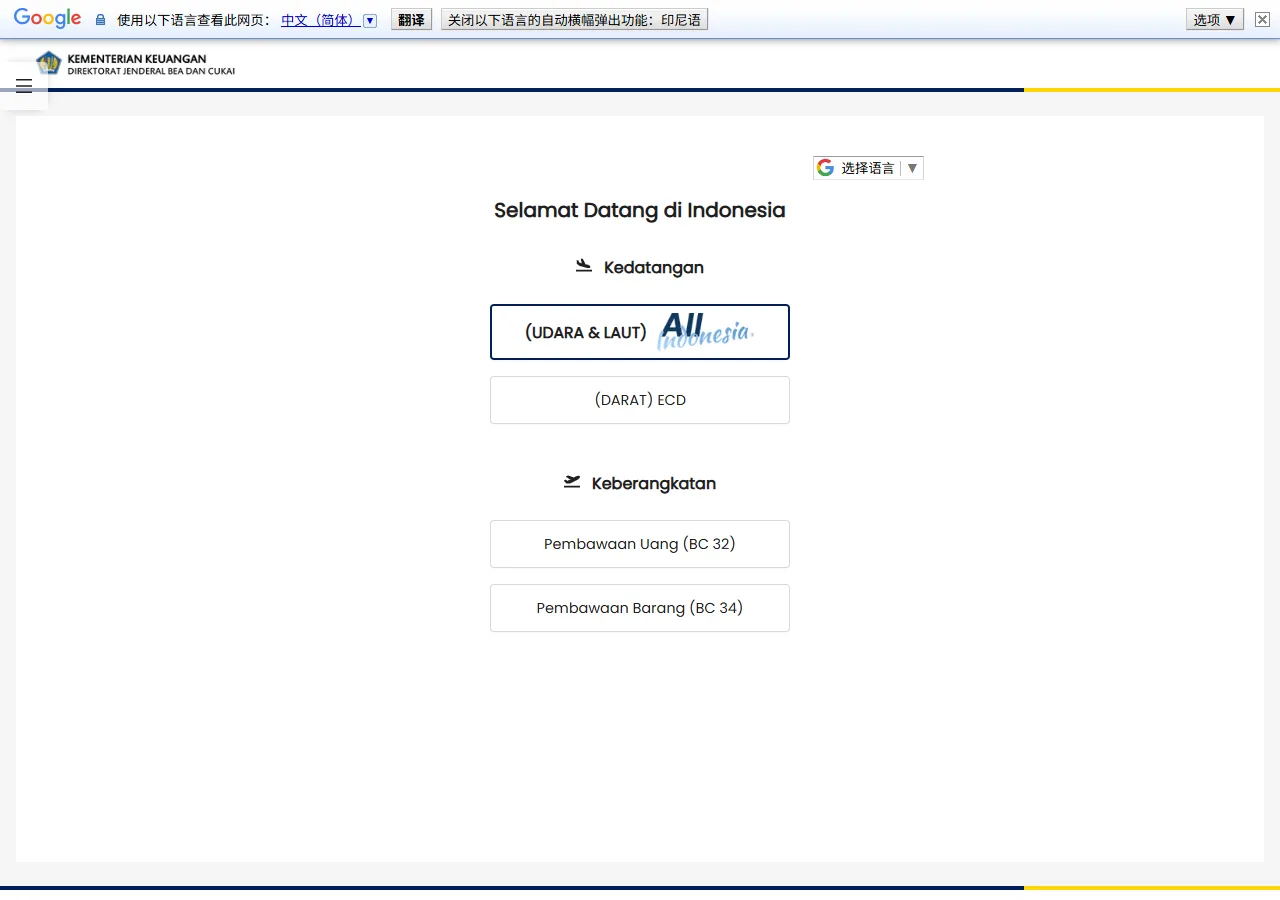
📸 About This Screenshot
This screenshot shows the latest official electronic entry card landing/login page. The step-by-step text guide below is based on the actual form structure, with detailed field instructions and common mistake warnings for your reference.
Email Address
emailRequiredEnter a valid email address that you have access to. This will be used for login and to receive your e-CD QR code. Use the same email for all family members if you plan to file a family declaration.
⚠ Common Mistakes
- •Using a typo in the email address, which prevents receiving the QR code
- •Using a shared email that is not checked regularly, causing missed notifications
Password
passwordRequiredCreate a strong password with at least 8 characters, including uppercase, lowercase, and numbers. Do not use personal information like your name or birthdate. Remember it or store it securely, as you will need it to log in later.
⚠ Common Mistakes
- •Using a weak password that is easy to guess
- •Forgetting the password and being unable to log in later
2Personal Information
3fields
Personal Information
3fields
Enter the traveler's personal details exactly as they appear on the passport.
Full Name (as per Passport)
textRequiredType your full name exactly as printed on your passport, including any middle names. Use the same order (surname first or given name first) as shown. Do not use nicknames or abbreviations. For family declarations, each member's name must be entered separately.
⚠ Common Mistakes
- •Using a nickname or shortened name instead of the passport name
- •Reversing the order of given name and surname
Passport Number
textRequiredEnter the passport number exactly as shown on the passport's bio page. It is typically 6-9 characters, alphanumeric. Be careful to distinguish between the letter 'O' and the digit '0', and the letter 'I' and the digit '1'. Do not include spaces or hyphens.
⚠ Common Mistakes
- •Confusing the letter 'O' with the digit '0'
- •Adding spaces or hyphens that are not part of the actual number
Date of Birth
dateRequiredSelect your date of birth using the date picker. Ensure the format matches your passport (usually DD/MM/YYYY). Double-check the day and month, as they are often confused. Children must have their own declaration, even if included in a family declaration.
⚠ Common Mistakes
- •Swapping day and month (e.g., 05/08 vs 08/05)
- •Entering the wrong year due to a typo
3Travel Details
3fields
Travel Details
3fields
Provide information about your flight or vessel, arrival date, and purpose of visit.
Flight / Vessel Number
textRequiredEnter the flight number exactly as shown on your ticket, including the airline code (e.g., GA401 for Garuda Indonesia). For sea travel, enter the vessel name or IMO number. Do not confuse the flight number with the booking reference or seat number.
⚠ Common Mistakes
- •Entering the booking reference instead of the flight number
- •Omitting the airline code (e.g., writing 401 instead of GA401)
Arrival Date
dateRequiredSelect the date you will arrive in Indonesia. This must be within 3 days before your arrival. Do not use the date of departure from your home country if it differs. The e-CD is valid for a single entry on this date.
⚠ Common Mistakes
- •Selecting the departure date instead of the arrival date
- •Filling the form more than 3 days before arrival, making it invalid
Purpose of Visit
selectRequiredChoose the option that best matches your visit: Tourism, Business, Work, Study, Transit, or Other. This is for customs purposes only and does not replace a visa. Select 'Tourism' for leisure travel.
⚠ Common Mistakes
- •Selecting 'Work' when traveling for a short business meeting
- •Choosing 'Other' without specifying, which may cause delays
4Goods Declaration
3fields
Goods Declaration
3fields
Declare any goods, cash, or items that exceed the allowed limits or require special declaration.
Cash / Monetary Instruments (over IDR 100,000,000)
radioRequiredSelect 'Yes' if you are carrying cash or monetary instruments (e.g., traveler's checks, promissory notes) equivalent to or exceeding IDR 100,000,000 (approximately USD 6,500). If 'Yes', you must provide the exact amount in IDR. This is mandatory; failure to declare can result in confiscation and fines.
⚠ Common Mistakes
- •Selecting 'No' when carrying large amounts of cash to avoid declaration
- •Underestimating the value of monetary instruments in IDR
Goods for Commercial Purposes
radioRequiredIndicate 'Yes' if you are bringing any goods for commercial use, including samples, merchandise, or items for resale. If 'Yes', you will need to provide a detailed list and value. Personal items like clothing and toiletries for personal use do not need to be declared.
⚠ Common Mistakes
- •Declaring personal items as commercial goods, causing unnecessary scrutiny
- •Failing to declare commercial samples, leading to penalties
Prohibited / Restricted Items
radioRequiredSelect 'Yes' if you are carrying any items that are prohibited or restricted in Indonesia, such as narcotics, weapons, explosives, certain electronics, or protected wildlife products. If 'Yes', you must declare them and may be subject to inspection. Carrying prohibited items without declaration is a serious offense.
⚠ Common Mistakes
- •Assuming that small amounts of certain items are allowed without declaration
- •Not declaring items that are restricted but not fully prohibited, like certain medications
5Family Declaration Option
2fields
Family Declaration Option
2fields
Choose whether to file a family declaration and add family members' details.
Family Declaration
radioRequiredSelect 'Yes' if you are traveling with family members (spouse, children, or parents) and want to combine your declarations. Each family member still needs to have their personal information entered. Select 'No' if you are traveling alone or with non-family companions.
⚠ Common Mistakes
- •Selecting 'Yes' for friends who are not family members
- •Assuming that family declaration means only one form is needed for all
Number of Family Members
numberOptionalIf you selected 'Yes' for family declaration, enter the total number of family members including yourself. This should match the number of people for whom you will enter details. If you selected 'No', leave this blank.
⚠ Common Mistakes
- •Entering the number of adults only, excluding children
- •Mismatching the number with the actual family members added
6Review and Submission
2fields
Review and Submission
2fields
Review all entered information, agree to the declaration, and submit to generate the QR code.
Confirmation of Accuracy
radioRequiredSelect 'Yes' to confirm that all information provided is true and correct. This is a legal declaration. Providing false information can lead to fines, confiscation, or legal action. Double-check all fields before confirming.
⚠ Common Mistakes
- •Confirming without reviewing, leading to errors
- •Assuming that minor mistakes are acceptable
Submission
radioRequiredClick the 'Submit' button to finalize your declaration. After submission, you will receive a QR code via email or on the screen. Save the QR code on your phone or print it. You must present this QR code at the customs counter upon arrival.
⚠ Common Mistakes
- •Forgetting to save the QR code before closing the browser
- •Not checking the email spam folder for the QR code
💬 Travel Experience Exchange
Applying or already traveled? Share your entry/exit experience, real problems encountered, or recent changes to help fellow travelers — our editors will also respond regularly.
- Share pitfalls or surprises during your entry process
- Let others know about recent entry procedure changes
- Read the guide and warnings above before asking
- Comments are moderated by the editorial team; inappropriate content is removed
💬 Leave a comment
Just enter your name and comment.