United Kingdom ETA
e-Visa / ETA Europe | UK ETA
August 7, 2026
✈️ Before You Go
The UK’s new Electronic Travel Authorisation (ETA) is not a visa—but don’t treat it like a formality. If you’re a citizen of a visa-exempt country (including the US, Canada, Australia, and most of Europe) and you’re traveling for tourism, transit, or short business, you need this digital permit before you board. The official processing time is “up to 3 working days,” but many approvals arrive within hours. Do not wait until the night before—airlines won’t let you check in without it. First-timers are often surprised that the ETA is tied to your passport number, not your name; renew your passport and you lose the authorization. Also, the app asks for a photo—use a clean, well-lit passport-style shot, or your application may be delayed. ⚠️ Heads up: apply on a Tuesday or Wednesday morning. Weekend and Monday backlogs cause slower responses, and midweek queries get faster human support. Finally, the ETA costs £10 and lasts two years—so if you’re even thinking about a trip, apply now, not later.
⚠️ Important Notes
Application Window
Apply at least 3 days in advance. Most applications approved within minutes to 3 business days. Valid for 2 years.
Cost
Application fee GBP 20 (from April 2026), paid via official App or gov.uk website
Fees are subject to change — always confirm on the official site.
- • All visa-exempt nationals (US, Canada, EU, Japan, etc.) now need an ETA to enter the UK — children included
- • Only apply via the official GOV.UK website or UK ETA app — third-party sites charge several times the real fee
- • ETA is valid for 2 years with multiple entries; each stay up to 6 months
- • Reapply for ETA after getting a new passport — old ETA expires with the old passport
- • Transiting through UK border control also requires ETA — airside transit without passing immigration does not
- • ETA fee has been rising: originally 10 GBP → 16 GBP in 2025 → 20 GBP from April 2026. Check the official site for latest rates
- • British and Irish passport holders, and those with valid UK visas or residence permits, do NOT need an ETA
- • Apply at least one week before travel — most are approved in minutes but official processing can take up to 3 working days
- • From February 2026, strict enforcement: airlines will verify ETA status at check-in; without valid ETA you will be denied boarding
- • eTA does not guarantee entry — border officers may still refuse. Carry return ticket and accommodation proof
📋 Application Field Guide
| Field Name | Tips & Notes |
|---|---|
Passport Details Passport Details | Upload a clear photo of the passport bio page; the passport must remain valid during the visit. |
Personal Information Personal Information | Name and DOB must match the passport; disclose previous names if any. |
Passport Photo (App) Passport Photo (App) | The official app requires a live photo — ensure good lighting and face the camera directly. |
Fee Payment Fee Payment | £20 payable online (from April 2026) with an international card; the application only proceeds after payment. |
Step-by-Step Application Guide
💡 Before You Start
Get these documents together first: your passport, a digital photo that meets requirements, and a valid credit/debit card. Apply at least 3 days before your travel, but ideally earlier. Only use the official GOV.UK website or the UK ETA app to avoid scams.
1Account Creation and Login
2fields
Account Creation and Login
2fields
Set up your UK ETA account using the official GOV.UK website or the UK ETA app, and verify your email address.
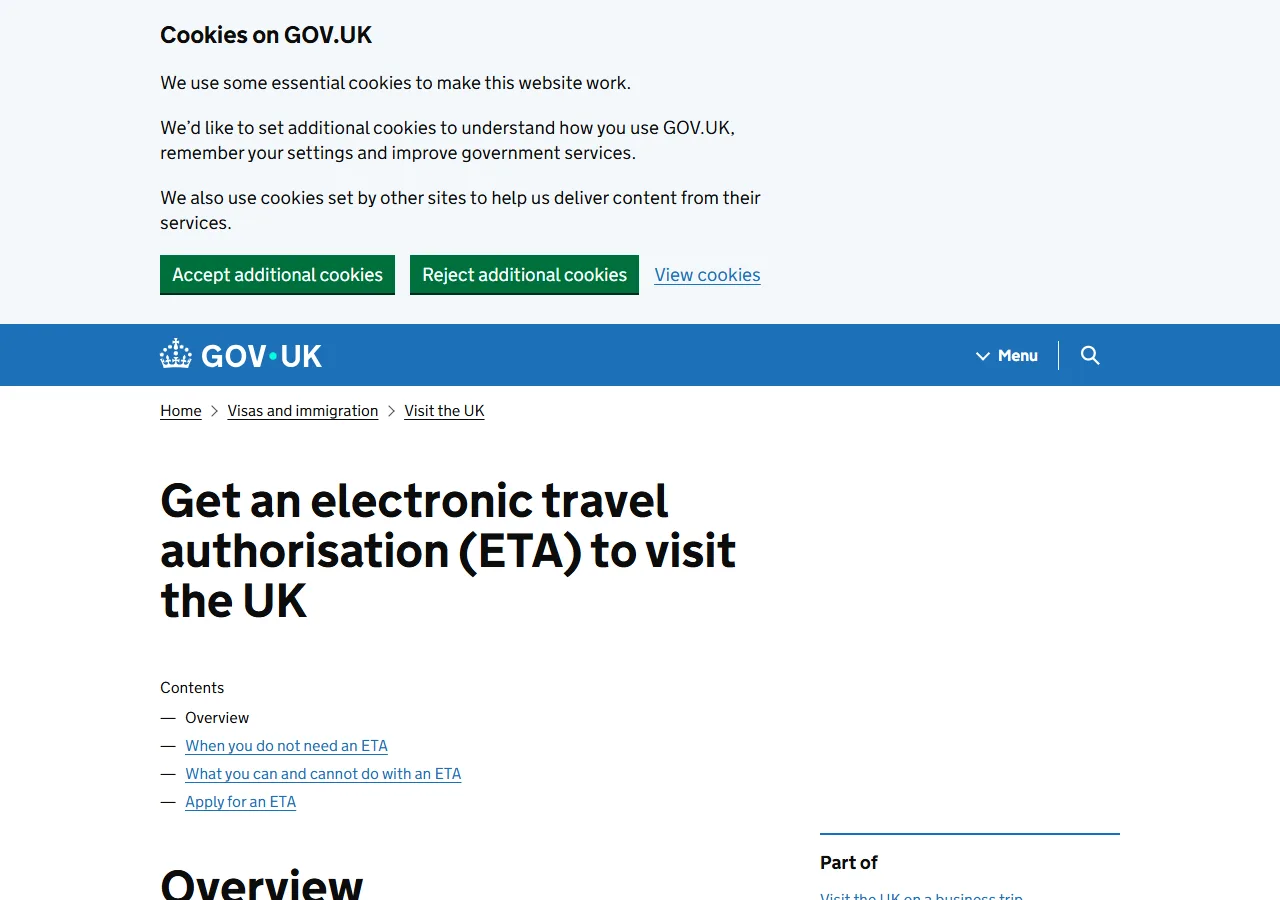
📸 About This Screenshot
This screenshot shows the latest official electronic entry card landing/login page. The step-by-step text guide below is based on the actual form structure, with detailed field instructions and common mistake warnings for your reference.
Email Address
emailRequiredEnter a valid email address that you have access to. You will receive a verification link and all ETA notifications here. Use a personal email rather than a work or shared one to avoid missing updates.
⚠ Common Mistakes
- •Using a typo in the email domain (e.g., gmail.co instead of gmail.com)
- •Using a shared email that you cannot check regularly
Password
passwordRequiredCreate a strong password with at least 8 characters, including uppercase, lowercase, numbers, and symbols. Do not reuse passwords from other accounts. You will need this to log back in to check your application status.
⚠ Common Mistakes
- •Using a simple password like 'password123' that is easy to guess
- •Forgetting the password and not saving it in a password manager
2Passport Details
3fields
Passport Details
3fields
Enter your passport information exactly as it appears on your passport's bio-data page.
Passport Number
textRequiredEnter the passport number exactly as printed on the top right of your passport's bio-data page. It is usually 9 characters for US passports (e.g., 123456789) or a combination of letters and numbers for other countries. Do not include spaces or dashes. Double-check for O/0 and I/1 confusion.
⚠ Common Mistakes
- •Confusing the letter O with the number 0 in the passport number
- •Adding spaces or hyphens that are not present on the passport
Passport Expiry Date
dateRequiredEnter the expiry date in the format DD/MM/YYYY as shown on your passport. Ensure the passport is valid for at least 6 months beyond your intended stay in the UK. If your passport expires soon, renew it before applying for ETA.
⚠ Common Mistakes
- •Entering the date in MM/DD/YYYY format instead of DD/MM/YYYY
- •Entering the issue date instead of the expiry date
Passport Issuing Country
selectRequiredSelect the country that issued your passport from the dropdown list. This is the country of your nationality, not necessarily your country of residence. If you have dual nationality, use the passport you plan to travel with.
⚠ Common Mistakes
- •Selecting the country of residence instead of the issuing country
- •Choosing the wrong country when holding dual nationality
3Personal Information
3fields
Personal Information
3fields
Provide your full name, date of birth, and other personal details exactly as they appear on your passport.
Full Name (as on passport)
textRequiredEnter your full name exactly as it appears on your passport, including any middle names. Use the same spelling and order. Do not use nicknames or abbreviations. If your name has special characters (e.g., accents), enter them exactly as shown.
⚠ Common Mistakes
- •Using a nickname or shortened name instead of the legal name
- •Omitting a middle name that appears on the passport
Date of Birth
dateRequiredEnter your date of birth in DD/MM/YYYY format. This must match your passport exactly. If you were born on the 1st of a month, ensure you enter '01' for the day. Double-check the year to avoid errors.
⚠ Common Mistakes
- •Entering the date in the wrong format (e.g., MM/DD/YYYY)
- •Making a typo in the year, especially if born in the 2000s
Nationality
selectRequiredSelect your nationality from the dropdown list. This should match the passport you are using to apply. If you have multiple nationalities, choose the one corresponding to the passport you will travel with.
⚠ Common Mistakes
- •Selecting a nationality that does not match the passport used
- •Choosing the country of residence instead of nationality
4Travel Details
2fields
Travel Details
2fields
Provide information about your intended travel to the UK, including your planned arrival date and purpose of visit.
Planned Arrival Date in the UK
dateRequiredEnter the date you plan to arrive in the UK in DD/MM/YYYY format. This can be an approximate date, but it should be within the validity of your ETA. If your plans change, you do not need to update this; the ETA is valid for multiple entries.
⚠ Common Mistakes
- •Entering a date in the past or after the ETA validity period
- •Using the date of application instead of the arrival date
Purpose of Visit
selectRequiredSelect the main purpose of your visit from the options (e.g., tourism, business, transit, visiting family). Choose the most accurate category. If you are transiting through the UK border, select 'Transit'.
⚠ Common Mistakes
- •Selecting 'Tourism' when actually transiting, which may cause issues
- •Choosing a purpose that does not match your actual plans
5Passport Photo Upload
1fields
Passport Photo Upload
1fields
Upload a recent passport-style photo that meets the UK government's specifications, or take one using the app.
Passport Photo
uploadRequiredUpload a digital photo that is at least 600x750 pixels and no more than 1200x1500 pixels. The photo must be in JPEG format, with a plain light background, no shadows, and your face fully visible. Do not wear glasses or head coverings unless for religious reasons. If using the app, follow the on-screen guidance to take a new photo.
⚠ Common Mistakes
- •Uploading a photo with a busy background or shadows on the face
- •Wearing glasses or a hat that obscures facial features
6Declaration and Payment
2fields
Declaration and Payment
2fields
Review your information, make the required declarations, and pay the application fee to submit your ETA application.
Declaration of Accuracy
radioRequiredTick the checkbox to confirm that all information provided is true and accurate. Providing false information can lead to refusal of the ETA or entry into the UK. Read the declaration carefully before agreeing.
⚠ Common Mistakes
- •Ticking the box without reading the declaration
- •Assuming the information is correct without double-checking
Payment Card Details
textRequiredEnter your credit or debit card details to pay the ETA application fee (approx £16–20; confirm on the official GOV.UK page). The official site accepts Visa, Mastercard and other major cards. Avoid third-party sites charging extra fees. Note: the ETA applies to visa-free passports; mainland China ordinary passports are not ETA-eligible and need a Standard Visitor visa (£135 for 6 months, since Apr 2026).
⚠ Common Mistakes
- •Using a third-party website that charges inflated fees
- •Entering card details incorrectly, leading to payment failure
🎯 Rehearse before you go?
Rehearse the official form field by field — guidance and common pitfalls inline. Export your answers as a reference card, then breeze through the real form.
💬 Travel Experience Exchange
Applying or already traveled? Share your entry/exit experience, real problems encountered, or recent changes to help fellow travelers — our editors will also respond regularly.
- Share pitfalls or surprises during your entry process
- Let others know about recent entry procedure changes
- Read the guide and warnings above before asking
- Comments are moderated by the editorial team; inappropriate content is removed
💬 Leave a comment
Just enter your name and comment.