Canada eTA
e-Visa / ETA Americas | Canadian eTA
August 7, 2026
✈️ Before You Go
If you're flying into Canada, the eTA is your invisible passport stamp—most visa-exempt travelers (like those from the UK, Australia, or Japan) need it before boarding, even for a layover. The online form takes about 10 minutes, but don't trust the 'instant approval' hype; real-world processing ranges from a few minutes to 72 hours, so apply at least a week ahead. But a common point of confusion: The eTA is tied to your passport number, not your name—so renewing your passport means a new application, and airlines will deny boarding if the numbers don't match. ⚠️ Heads up: Use the official government site only (canada.ca/eTA), not the third-party sites that charge $50+ for the same $7 CAD fee—they also add confusing extra steps. And remember, the eTA is valid for up to five years or until your passport expires, whichever comes first, so don't panic if your travel plans shift; just keep your passport number handy.
⚠️ Important Notes
Application Window
Apply at least 72 hours in advance. Most applications approved within minutes. Valid for 5 years.
Cost
Application fee CAD 7, paid online by credit card
Fees are subject to change — always confirm on the official site.
- • eTA is only required for air travel to Canada — land and sea entries do not need eTA. Citizens of Singapore, UK, Australia, Japan, France and 50+ visa-exempt countries all need eTA
- • US citizens are exempt from eTA
- • eTA is valid for up to 5 years or until passport expiry (whichever comes first). Renew after getting a new passport
- • Official fee is only CAD 7 — beware of third-party sites charging tens of dollars in service fees
- • eTA is linked to your passport number — if you change your name, passport, or gender, you must reapply
- • Most applications are approved within minutes, but some may require additional documents — apply at least 72 hours before
- • Airlines will verify eTA status before boarding — without a valid eTA you will be denied boarding
- • If you already hold a valid Canadian visa, you do NOT need an eTA. If your visa expires, apply for eTA for visa-free travel
- • eTA is for short visits only (tourism, business, family) — not valid for work or long-term study
- • The official Canada.ca website offers a Simplified Chinese interface, but the eTA application form is in English/French only
📋 Application Field Guide
| Field Name | Tips & Notes |
|---|---|
Passport Information Passport Information | Passport must be valid 6+ months beyond arrival; the number must match the uploaded bio page. |
Personal Details Personal Details | Match the passport exactly, including spelling and case. |
Background Questions Background Questions | Answer truthfully about criminal history and past refusals — dishonesty leads to refusal. |
Fee Payment Fee Payment | CAD 7 payable online with an international credit card; the application only submits after payment. |
Step-by-Step Application Guide
💡 Before You Start
Before starting your eTA application, ensure you have your valid passport, a credit card (Visa, Mastercard, or American Express) to pay the CAD $7 fee, and access to a reliable internet connection. It is recommended to apply at least 72 hours before your flight, though most applications are approved within minutes. Be aware that the eTA is only for air travel to Canada; land or sea arrivals do not require it, and US citizens are exempt.
1Account Creation and Login
2fields
Account Creation and Login
2fields
Create an account or log in to the official Immigration, Refugees and Citizenship Canada (IRCC) portal to start your eTA application.
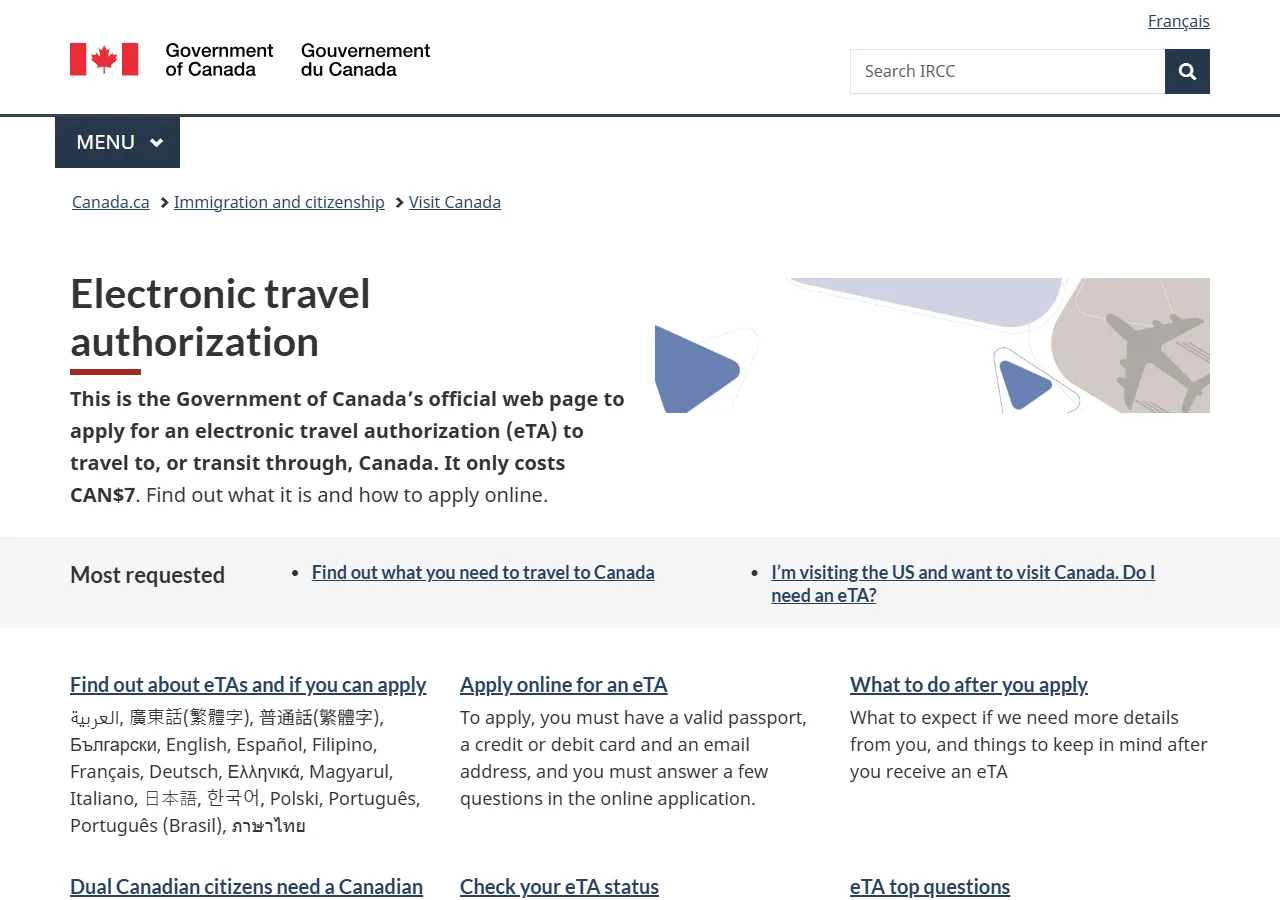
📸 About This Screenshot
This screenshot shows the latest official electronic entry card landing/login page. The step-by-step text guide below is based on the actual form structure, with detailed field instructions and common mistake warnings for your reference.
Email Address
emailRequiredEnter a valid email address that you check regularly. This will be used for all correspondence, including your eTA approval notification. Use the same email for future applications to track your status.
⚠ Common Mistakes
- •Using a rarely checked email address
- •Typing the email incorrectly (e.g., missing a dot)
Password
passwordRequiredCreate a strong password with at least 8 characters, including uppercase and lowercase letters, numbers, and symbols. Do not use personal information like your name or birthdate. Store it securely, as you will need it to check your application status.
⚠ Common Mistakes
- •Using a weak or easily guessable password
- •Forgetting the password and not storing it securely
2Passport Information
3fields
Passport Information
3fields
Enter your passport details exactly as they appear on your passport. This information is critical for your eTA approval.
Passport Number
textRequiredEnter the passport number exactly as shown on the biographical page of your passport. It is typically alphanumeric (e.g., A1234567). Do not include spaces or hyphens. Double-check for common confusions: the letter 'O' vs digit '0', and letter 'I' vs digit '1'.
⚠ Common Mistakes
- •Confusing letter O with digit 0
- •Adding spaces or hyphens
Passport Issuance Date
dateRequiredSelect the date your passport was issued, as shown on the biographical page. Use the format YYYY-MM-DD. This date is usually found near the bottom of the page. Ensure it matches exactly; even a one-day difference can cause issues.
⚠ Common Mistakes
- •Selecting the expiry date instead of issuance date
- •Using the wrong date format (e.g., MM-DD-YYYY)
Passport Expiry Date
dateRequiredEnter the expiry date of your passport. Your passport must be valid for at least the duration of your stay in Canada. The eTA is valid for up to 5 years or until your passport expires, whichever comes first. If your passport expires soon, consider renewing it before applying.
⚠ Common Mistakes
- •Entering the issuance date instead of expiry date
- •Using a passport that expires within 6 months of travel
3Personal Details
3fields
Personal Details
3fields
Provide your personal information exactly as it appears on your passport. Any discrepancy may lead to application refusal.
Full Name (as on passport)
textRequiredEnter your full legal name exactly as it appears on your passport, including any middle names. Use the same order (surname, given name, middle name) as printed. Do not use nicknames or abbreviations. If your name has special characters (e.g., accents), enter them exactly as shown.
⚠ Common Mistakes
- •Using a nickname or shortened name
- •Reversing the order of given and family names
Date of Birth
dateRequiredEnter your date of birth in the format YYYY-MM-DD. This must match your passport exactly. Be careful with the month/day order; for example, 05/06/1990 could be May 6 or June 5 depending on the format. Use the calendar picker if available to avoid errors.
⚠ Common Mistakes
- •Mixing up day and month (e.g., 05/06 vs 06/05)
- •Entering a date that doesn't match the passport
Country of Citizenship
selectRequiredSelect the country that issued your passport from the dropdown list. This should be your primary citizenship. If you hold multiple citizenships, choose the one you will use to travel to Canada. Note that US citizens are exempt from the eTA requirement.
⚠ Common Mistakes
- •Selecting the country of residence instead of citizenship
- •Choosing the wrong country due to similar names (e.g., Congo vs DR Congo)
4Travel Details
2fields
Travel Details
2fields
Provide information about your upcoming trip to Canada, including your intended arrival date and purpose of visit.
Intended Date of Arrival in Canada
dateRequiredEnter the date you plan to arrive in Canada. This should be your first entry date. If your plans change after approval, you do not need to update your eTA; it remains valid for multiple entries. However, provide the most accurate date you can.
⚠ Common Mistakes
- •Entering the departure date instead of arrival date
- •Choosing a date in the past
Purpose of Visit
selectRequiredSelect the primary purpose of your visit from the options (e.g., tourism, business, visiting family). Choose the most accurate category. If you are transiting through Canada to another country, select 'Transit' if available.
⚠ Common Mistakes
- •Selecting 'Business' for a tourism trip
- •Choosing 'Other' without specifying details
5Background Questions
2fields
Background Questions
2fields
Answer a series of yes/no questions about your health, criminal history, and immigration status. These are mandatory for security screening.
Have you ever been convicted of a crime?
radioRequiredAnswer 'Yes' if you have any criminal conviction, including minor offenses like DUI (driving under the influence). Even if the conviction was expunged or pardoned, you may need to declare it. Providing false information can lead to a ban from Canada. If unsure, consult the official guidance.
⚠ Common Mistakes
- •Answering 'No' to avoid complications
- •Not declaring a conviction that was pardoned
Have you ever been refused a visa or entry to Canada?
radioRequiredAnswer 'Yes' if you have previously been refused a Canadian visa, eTA, or entry at the border. Even if the refusal was long ago, you must declare it. If you answer 'Yes', you may be asked to provide details. Failure to disclose can result in a 5-year ban.
⚠ Common Mistakes
- •Forgetting a past refusal
- •Assuming a refusal doesn't matter if it was years ago
6Fee Payment and Submission
3fields
Fee Payment and Submission
3fields
Review your application, pay the non-refundable CAD $7 fee, and submit your eTA application. You will receive a confirmation email.
Credit Card Number
textRequiredEnter your credit card number without spaces or hyphens. The official fee is CAD $7. Only Visa, Mastercard, or American Express are accepted. Be cautious of third-party websites that charge much higher fees (e.g., $50+). Always use the official IRCC website.
⚠ Common Mistakes
- •Entering spaces or hyphens in the card number
- •Using a debit card that is not accepted
Card Expiry Date
textRequiredEnter the expiry date of your credit card in MM/YY format (e.g., 08/27). This is printed on the front of your card. Do not confuse it with the card's issue date. Ensure the card is valid for at least the next month.
⚠ Common Mistakes
- •Entering the issue date instead of expiry date
- •Using the wrong format (e.g., YYYY-MM)
CVV Security Code
textRequiredEnter the 3-digit CVV code on the back of your card (or 4-digit on the front for American Express). This is a security feature. Do not share this code with anyone. If the payment fails, check your card details and try again.
⚠ Common Mistakes
- •Entering the wrong number of digits
- •Sharing the CVV with a third-party site
💬 Travel Experience Exchange
Applying or already traveled? Share your entry/exit experience, real problems encountered, or recent changes to help fellow travelers — our editors will also respond regularly.
- Share pitfalls or surprises during your entry process
- Let others know about recent entry procedure changes
- Read the guide and warnings above before asking
- Comments are moderated by the editorial team; inappropriate content is removed
💬 Leave a comment
Just enter your name and comment.