Qatar Hayya Platform
e-Visa / ETA Middle East | Hayya
August 7, 2026
✈️ Before You Go
Qatar's Hayya Platform isn't a suggestion—it's your entry ticket. Every traveler—transit or long-haul—must register before arrival, even for a 12-hour layover. Real timing? Start the process at least 30 days out; approvals can take 3–4 weeks, and last-minute submissions often fail during peak seasons. First-timer surprises: your hotel booking must be pre-paid and linked to your Hayya ID, and the 'digital visa' isn't a sticker—it's a QR code tied to your passport, so don't print it. Also, the platform's app is clunky; use the desktop version. ⚠️ Heads up: if you're transiting but want to leave the airport, apply for the 'transit package'—it includes a free hotel night and city tour, but you must request it during Hayya application, not after. Ignore the myths—no, you can't 'sort it at the airport.' Plan, pay, and register early. Your Doha layover will feel effortless—or you'll be watching the skyline from the terminal, wondering why you gambled.
⚠️ Important Notes
Application Window
Complete registration at least 3-5 days before departure. Approval typically within 24-72 hours.
Cost
Free
- • Most nationalities must register through the Hayya platform (Category A1) and obtain approval before entering Qatar
- • Some nationalities are visa-exempt or eligible for visa on arrival — check nationality eligibility on the official website first
- • Uploaded photo must meet specifications; passport scan must be clear and complete — non-compliant documents will be returned
- • After approval, download the Hayya card or save the QR code — you must present it at immigration and hotel check-in
- • Only use the official hayya.qa — avoid third-party agent sites charging service fees
- • Hayya platform registration is free — visa fees are approximately QAR 100 depending on visa type. Confirm your visa category before applying
- • Transit passengers staying over 24 hours must also register through Hayya — do not overlook this for long layovers
- • The Hayya platform is a Next.js single-page application — first page load may be slow. Wait patiently and do not re-submit
- • Accommodation address (hotel or host) must match subsequent verification materials — inconsistencies will require re-submission
- • The Hayya card is not a visa itself — the final entry decision is made by the Qatari immigration officer
📋 Application Field Guide
| Field Name | Tips & Notes |
|---|---|
Passport Details Passport Details | Upload a clear bio page; the passport must be valid for at least 6 months. |
Photo Upload Passport Photo | A recent white-background photo meeting official specs — non-compliant photos are returned. |
Purpose of Visit Purpose of Visit | Select tourism, transit or business. Transit passengers staying 24+ hours must register too. |
Accommodation in Qatar Accommodation in Qatar | Provide your hotel or host address in Qatar for verification. |
Step-by-Step Application Guide
💡 Before You Start
Before you start, prepare your passport (valid 6+ months), a compliant digital photo (white background, official specs), a clear scan of the passport bio page, your flight details and accommodation address in Qatar. Check your nationality's category first: A1 tourist e-Visa for most, A2 for GCC residents, A4 for companions of GCC citizens, visa-free routes for some nationalities (e.g. US citizens). Transit passengers staying over 24 hours must register too. Start at least 3-5 days before departure — approval takes 24-72 hours. Registration is free; the visa fee (about QAR 100) applies only where required. The site is a Next.js SPA — first load is slow, never double-submit.
1Open the Official Hayya Platform
1fields
Open the Official Hayya Platform
1fields
Qatar's official Hayya platform (hayya.qa) — the unified window for e-Visas, entry registration and events. Everything runs on your Hayya account: creating it is free, and the visa fee (about QAR 100, depending on category) is paid only if your nationality needs a visa. Start at least 3-5 days before departure: approval usually takes 24-72 hours.
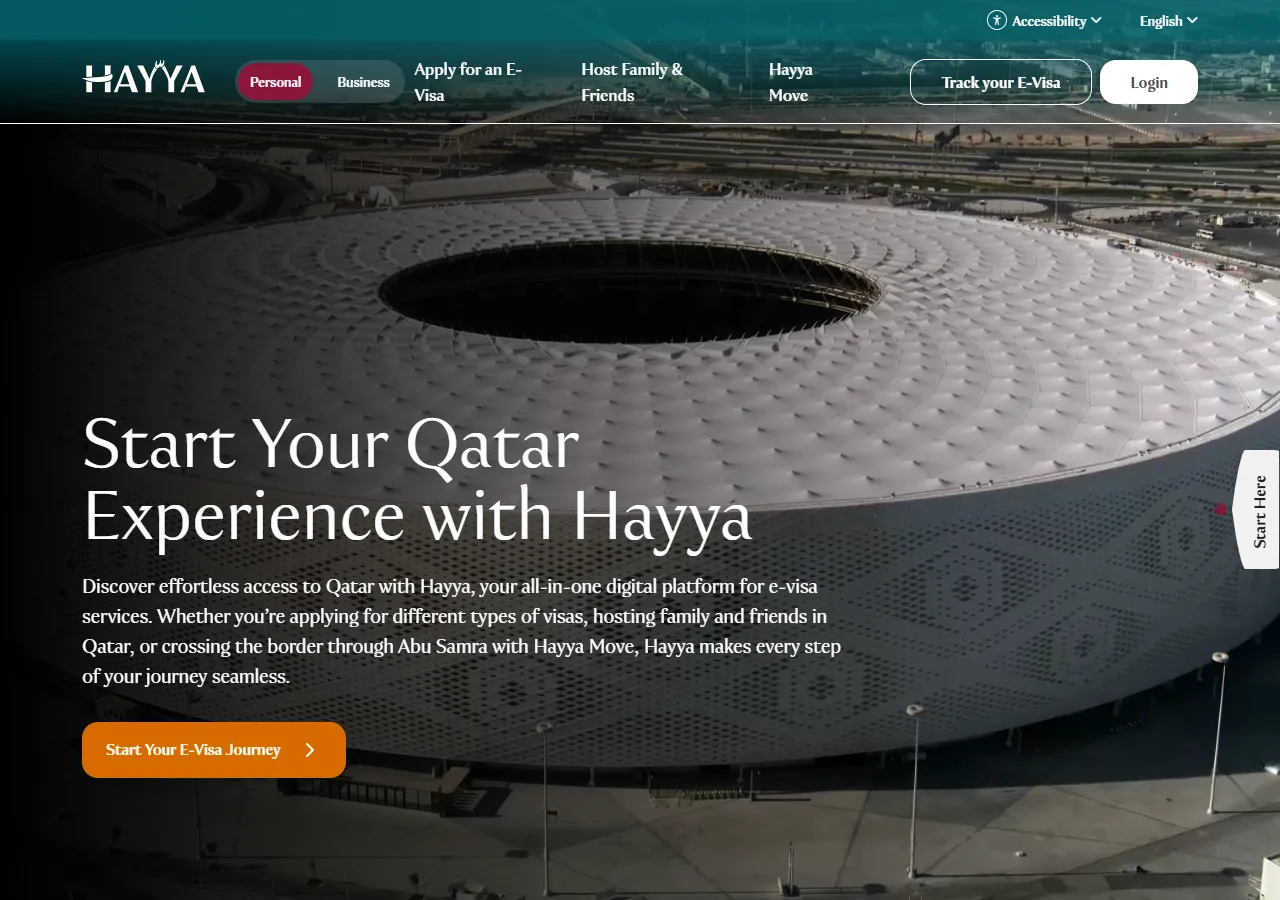
📸 About This Screenshot
This screenshot shows the latest official electronic entry card landing/login page. The step-by-step text guide below is based on the actual form structure, with detailed field instructions and common mistake warnings for your reference.
Start Your E-Visa Journey
buttonRequiredClick "Start Your E-Visa Journey" to sign in or create your Hayya account. The platform is a Next.js SPA — the first page load can be slow; wait patiently and never submit twice.
⚠ Common Mistakes
- •Double-submitting because the slow SPA seemed frozen
- •Using an agency site instead of the official hayya.qa
2Know Your Visa Category
1fields
Know Your Visa Category
1fields
The landing page lists the main Hayya e-Visa categories: Tourist Visa (A1) — the standard tourist e-Visa; GCC Resident Visa (A2) for GCC residents; Visa with ETA (A3); Companion of GCC Citizen (A4); and Visa-Free for US Citizens (F1). Check which category (or visa-free/visa-on-arrival status) applies to your nationality BEFORE starting, and note that transit passengers staying over 24 hours must also register.
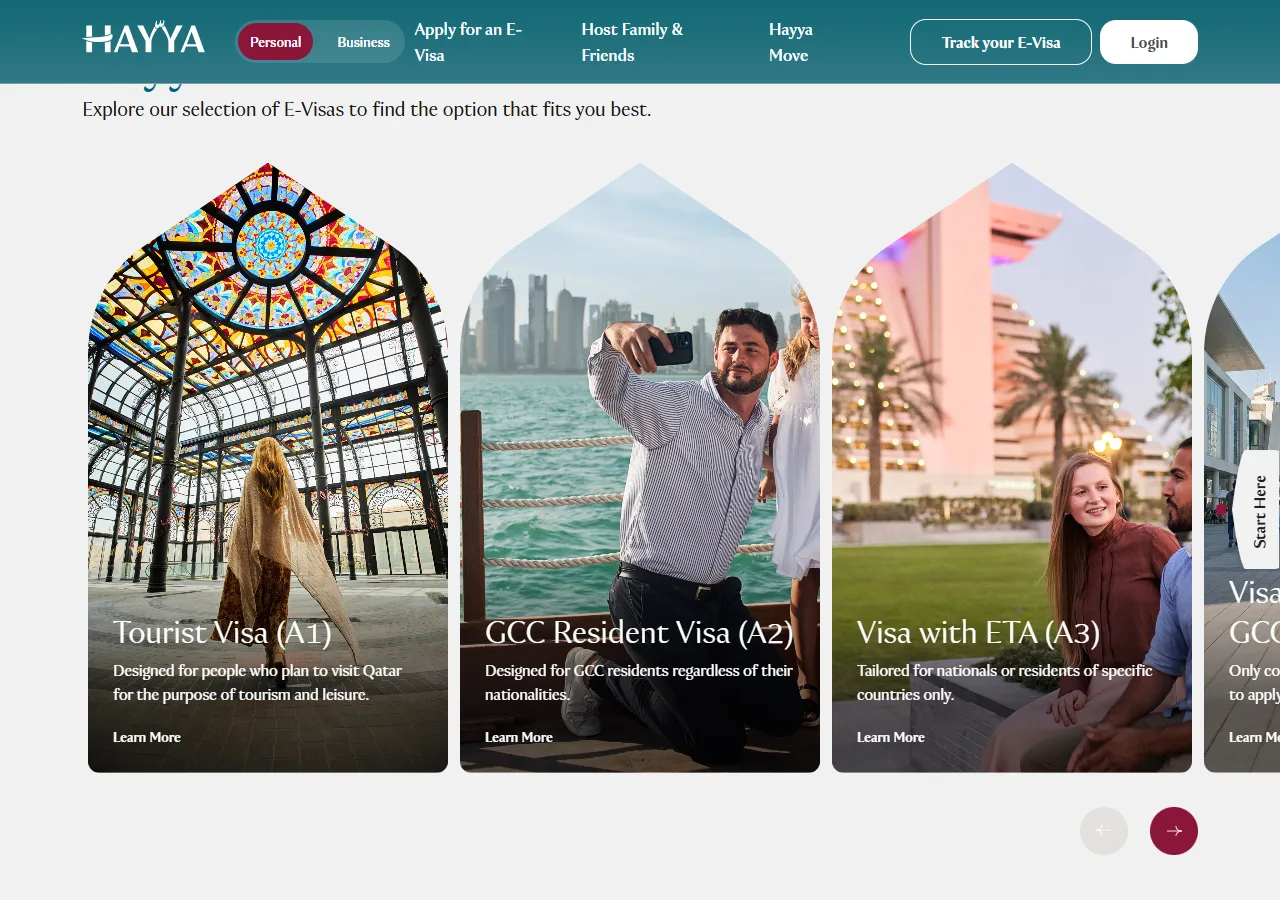
📸 About This Screenshot
This screenshot shows the latest official electronic entry card landing/login page. The step-by-step text guide below is based on the actual form structure, with detailed field instructions and common mistake warnings for your reference.
Visa Category Selection
selectRequiredMost tourists apply for the Tourist Visa (A1). GCC residents use A2; companions of GCC citizens use A4; US citizens use the visa-free F1 route. The fee is about QAR 100 for categories that require payment.
⚠ Common Mistakes
- •Choosing the wrong category and having the application returned
- •Forgetting that transit stays over 24 hours also require registration
3Create Your Hayya Account
1fields
Create Your Hayya Account
1fields
Register a free Hayya account with your email and a strong password. Use a real, accessible inbox — approval notices and your Hayya card download link are sent there. Keep your credentials: you will need the account to upload documents, pay, track the application and download the card.
Email & Password
emailRequiredRegistration is free. Double-check the email spelling — a typo means you will never receive the approval notice or the card download link.
⚠ Common Mistakes
- •Typo in the email address
- •Paying an agency to 'register' — Hayya registration is free
4Upload Passport & Photo
2fields
Upload Passport & Photo
2fields
Upload a clear, complete scan of your passport bio page (valid at least 6 months) and a recent white-background photo meeting the official specs. Non-compliant documents are the main reason applications get returned — check the format requirements before uploading.
Passport Bio Page
uploadRequiredClear scan of the full bio page with all corners visible, no glare. Passport must be valid at least 6 months.
⚠ Common Mistakes
- •Blurry scan or glare on the bio page
- •Expiring passport (under 6 months validity)
Passport Photo
uploadRequiredRecent photo, white background, official specs. Non-compliant photos are returned — read the size and format requirements carefully.
⚠ Common Mistakes
- •Using a cropped selfie or an old photo
- •Ignoring the format requirements — the top reason for returns
5Trip Details & Accommodation
2fields
Trip Details & Accommodation
2fields
Enter your purpose of visit (tourism, transit or business), travel dates, and your accommodation address in Qatar — hotel or host address. Keep every detail consistent with your supporting documents: mismatches will be returned for resubmission.
Purpose of Visit
selectRequiredTourism, transit or business. Transit passengers staying more than 24 hours must register through Hayya too.
⚠ Common Mistakes
- •Skipping Hayya registration for a 24h+ transit stay
Accommodation in Qatar
textRequiredHotel name and address, or the full address of your host. It must match your supporting documents — inconsistencies trigger a resubmission request.
⚠ Common Mistakes
- •The address not matching the booking or supporting documents
6Pay, Wait & Download the Hayya Card
2fields
Pay, Wait & Download the Hayya Card
2fields
Pay the visa fee (about QAR 100 for categories that require payment) if your nationality needs one, then wait: approval usually takes 24-72 hours. Once approved, download the Hayya card or save the QR code — you show it at immigration AND at hotel check-in. Note that the Hayya card is not itself the visa: the final entry decision is made by the Qatari immigration officer at the border.
Visa Fee Payment
buttonOptionalOnly payable if your nationality requires a visa (about QAR 100). Visa-free or visa-on-arrival nationalities skip payment. Hayya platform registration itself is always free.
⚠ Common Mistakes
- •Paying an agency to register — platform registration is free
- •Not confirming visa-free eligibility before paying
Hayya Card & QR Code
buttonRequiredDownload the Hayya card or save the QR code after approval. Show it at immigration and hotel check-in. Remember: the Hayya card does not replace the visa — the border officer makes the final entry decision.
⚠ Common Mistakes
- •Assuming the Hayya card alone guarantees entry
- •Not saving the QR code offline before travel
💬 Travel Experience Exchange
Applying or already traveled? Share your entry/exit experience, real problems encountered, or recent changes to help fellow travelers — our editors will also respond regularly.
- Share pitfalls or surprises during your entry process
- Let others know about recent entry procedure changes
- Read the guide and warnings above before asking
- Comments are moderated by the editorial team; inappropriate content is removed
💬 Leave a comment
Just enter your name and comment.