Kenya eTA
e-Visa / ETA Africa | Kenya Electronic Travel Authorisation
August 7, 2026
✈️ Before You Go
Kenya’s eTA (electronic travel authorization) is mandatory for nearly all visitors, including those from visa-exempt countries—only citizens of the East African Community are exempt. The official site says 3 days, but real-world processing averages 5–7 business days, so apply at least two weeks before departure. First-time visitors are often surprised that the eTA is tied to your passport number, not your name, so a typo means a full reapplication, and that the system rejects applications with blurry passport scans. ⚠️ Heads up: apply on a Tuesday or Wednesday morning—Kenyan officials process batches on weekdays, and Monday backlogs often delay approvals. Also, carry a printed copy of your eTA even though it’s electronic; some airlines and border officers ask to see it on arrival, and the airport Wi-Fi is unreliable. Don’t fall for third-party sites charging double—use only the official eTA portal to avoid scams.
⚠️ Important Notes
Application Window
Apply at least 2-3 weeks in advance. Official processing within 3 business days (up to 14 days max).
Cost
Single entry eTA approx. USD 34, transit approx. USD 30, multiple entry approx. USD 120 (incl. processing fees)
Fees are subject to change — always confirm on the official site.
- • Kenya replaced its e-Visa with the eTA system in 2024 — only apply through the official etakenya.go.ke
- • Single entry approx. USD 34, transit approx. USD 30, multiple entry approx. USD 120 — choose the correct type; fees are non-refundable after payment
- • eTA is only valid at the entry point specified in your application — changing your entry point requires a new application
- • Passport must be valid for at least 6 months. Upload your travel itinerary and accommodation booking
- • Do not purchase non-refundable tickets before approval
- • The Kenya eTA page meta explicitly warns: travelers without a valid eTA may be denied boarding or fined on arrival
- • ID photo must be white background, no head covering, recent (within 6 months) — non-compliant photos cause delay
- • You must provide hotel names and addresses for your first night and subsequent stays — this information will be verified. Mismatches may cause refusal
- • You must list all cities in your itinerary (e.g., Nairobi, Masai Mara) — the plan must match your actual travel
- • eTA does not guarantee entry — the final decision rests with the Kenyan immigration officer
📋 Application Field Guide
| Field Name | Tips & Notes |
|---|---|
Passport Details Passport Details | Upload a clear bio page; passport must be valid 6+ months beyond entry. |
Photo Upload Passport Photo | A recent white-background photo meeting the official format and size requirements. |
Travel Itinerary Travel Itinerary | Provide arrival/departure dates, flight numbers and cities visited — must match your actual plan. |
Accommodation in Kenya Accommodation | List hotel names and addresses — these are verified during review. |
Step-by-Step Application Guide
💡 Before You Start
Before you begin, gather your passport (valid for at least 6 months), a recent passport photo, your flight itinerary, and hotel booking confirmation. Ensure you have a valid credit/debit card for the application fee. Apply at least 2-3 weeks before your travel date, and do not purchase non-refundable tickets until your eTA is approved.
1Account Creation & Login
2fields
Account Creation & Login
2fields
Create a new account or log in to the official Kenya eTA portal to start your application.
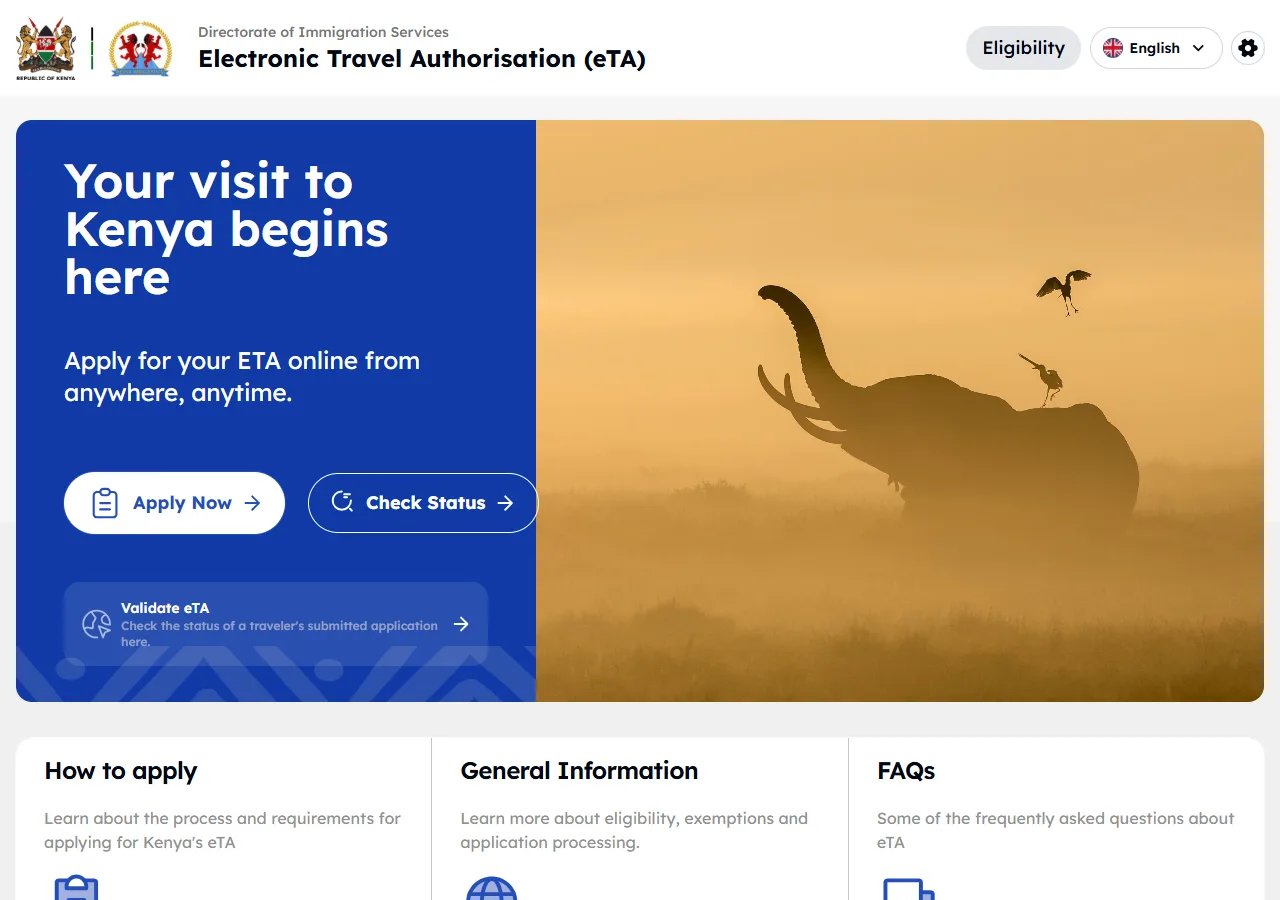
📸 About This Screenshot
This screenshot shows the latest official electronic entry card landing/login page. The step-by-step text guide below is based on the actual form structure, with detailed field instructions and common mistake warnings for your reference.
Email Address
emailRequiredEnter a valid email address that you check regularly. This will be used for all correspondence and to receive your eTA approval. Use the same email for all future applications.
⚠ Common Mistakes
- •Using a rarely-checked email address, causing missed approval notifications
- •Typing the email incorrectly, leading to failed delivery of the eTA
Password
passwordRequiredCreate a strong password with at least 8 characters, including uppercase, lowercase, numbers, and symbols. Write it down in a secure place, as you will need it to check your application status.
⚠ Common Mistakes
- •Using a weak or easily guessable password, risking account security
- •Forgetting the password and being locked out of the application portal
2Personal Information
3fields
Personal Information
3fields
Provide your full name, date of birth, nationality, and other personal details exactly as they appear on your passport.
Full Name (as on passport)
textRequiredEnter your full name exactly as it appears on your passport, including any middle names. Use the same spelling and order. Do not use nicknames or abbreviated forms. For example, if your passport shows 'JOHN MICHAEL SMITH', enter that exactly.
⚠ Common Mistakes
- •Using a different name order (e.g., surname first) than on the passport
- •Omitting a middle name that appears on the passport
Date of Birth
dateRequiredSelect your date of birth using the calendar picker. Ensure the day, month, and year match your passport exactly. Use the format DD/MM/YYYY as displayed. Double-check the year, as a typo can cause delays.
⚠ Common Mistakes
- •Selecting the wrong year due to a slip of the mouse
- •Mixing up day and month (e.g., entering 05/10 instead of 10/05)
Nationality
selectRequiredSelect your nationality from the dropdown list. This should match the passport you will use for travel. If you have dual nationality, choose the one corresponding to the passport you are using for this application.
⚠ Common Mistakes
- •Selecting the wrong nationality when holding dual citizenship
- •Choosing a nationality that does not match the passport used for travel
3Passport Details
3fields
Passport Details
3fields
Enter your passport number, issue and expiry dates, and upload a clear scan of your passport bio page.
Passport Number
textRequiredEnter the passport number exactly as printed on your passport. It is typically alphanumeric (e.g., A1234567). Pay attention to characters that look similar, such as 'O' (letter) and '0' (zero), or 'I' (letter) and '1' (one). Do not include spaces or hyphens.
⚠ Common Mistakes
- •Confusing the letter 'O' with the digit '0' in the passport number
- •Adding spaces or hyphens that are not part of the official number
Passport Expiry Date
dateRequiredEnter the expiry date of your passport. Your passport must be valid for at least 6 months from your intended date of arrival in Kenya. If it expires sooner, you must renew it before applying.
⚠ Common Mistakes
- •Entering the issue date instead of the expiry date
- •Not checking that the passport is valid for 6 months beyond arrival
Passport Bio Page Upload
uploadRequiredUpload a clear, color scan or photo of the passport bio page (the page with your photo and personal details). The file must be in JPG, PNG, or PDF format, and should not exceed 2 MB. Ensure all text is legible and there is no glare or reflection.
⚠ Common Mistakes
- •Uploading a blurry or low-resolution image that cannot be read
- •Uploading a file larger than 2 MB, causing the upload to fail
4Photo Upload
1fields
Photo Upload
1fields
Upload a recent passport-style photograph that meets the specified requirements.
Passport Photo Upload
uploadRequiredUpload a recent color photograph (taken within the last 6 months) with a plain white or light background. The photo should be in JPG or PNG format, at least 300x300 pixels, and no larger than 2 MB. Your face must be centered, with a neutral expression, and both eyes open. Do not wear glasses or head coverings unless for religious or medical reasons.
⚠ Common Mistakes
- •Uploading a photo with a busy background or shadows
- •Wearing glasses or a hat that obscures facial features
5Travel Itinerary
4fields
Travel Itinerary
4fields
Provide your intended arrival and departure dates, the port of entry, and details of your flight or travel plans.
Port of Entry
selectRequiredSelect the airport or border post where you will first enter Kenya. Common options include Jomo Kenyatta International Airport (Nairobi), Moi International Airport (Mombasa), and various land border crossings. Your eTA will be valid only for this specific entry point, so choose carefully.
⚠ Common Mistakes
- •Selecting the wrong airport, especially when connecting flights land at a different city
- •Assuming the eTA is valid for any entry point, but it is only for the one selected
Arrival Date
dateRequiredEnter the date you plan to arrive in Kenya. This should match your flight itinerary. If your plans change after approval, you may need to apply for a new eTA, as the approved eTA is tied to the dates you provide.
⚠ Common Mistakes
- •Entering the departure date instead of the arrival date
- •Providing a date that is more than 3 months in advance, which may be rejected
Departure Date
dateRequiredEnter the date you plan to leave Kenya. This should be after your arrival date and within the validity period of your eTA (typically 90 days). Ensure your departure date is realistic and matches your return flight.
⚠ Common Mistakes
- •Entering a departure date before the arrival date
- •Choosing a departure date that exceeds the 90-day validity period
Flight Number (Arrival)
textRequiredEnter the flight number of your arriving flight, including the airline code (e.g., KQ 501 for Kenya Airways). If you are arriving by land or sea, provide the name of the bus company, ship, or vehicle registration if applicable. This information is used for verification purposes.
⚠ Common Mistakes
- •Entering the flight number of the departure flight instead of the arrival flight
- •Omitting the airline code, making the flight number ambiguous
6Accommodation in Kenya
3fields
Accommodation in Kenya
3fields
Provide details of your accommodation while in Kenya, including the name and address of your hotel or host.
Accommodation Name
textRequiredEnter the full name of the hotel, lodge, or private residence where you will stay. If you are staying with friends or family, provide their full name and indicate 'private residence'. This must match the booking confirmation you will upload.
⚠ Common Mistakes
- •Entering a generic name like 'hotel' instead of the specific property name
- •Providing a name that does not match the booking confirmation
Accommodation Address
textRequiredEnter the full street address of your accommodation, including city and postal code if available. For rural lodges or camps, provide the nearest town or landmark. This information helps immigration authorities verify your stay.
⚠ Common Mistakes
- •Providing an incomplete address, such as only the city name
- •Using a P.O. Box address instead of a physical street address
Booking Confirmation Upload
uploadRequiredUpload a copy of your hotel booking confirmation or a letter of invitation from your host. The document should clearly show your name, the accommodation name, and the dates of stay. Accepted formats are JPG, PNG, or PDF, with a maximum size of 2 MB.
⚠ Common Mistakes
- •Uploading a confirmation that does not show your name, making it invalid
- •Uploading a file that is too large or in an unsupported format
7Declarations & Submission
4fields
Declarations & Submission
4fields
Review your application, answer health and security questions, and submit your eTA application for processing.
Health Declaration
radioRequiredAnswer the health-related questions truthfully. These typically ask about recent illnesses, vaccinations, or contact with infectious diseases. If you have any health conditions, select 'Yes' and provide details as prompted. False declarations can lead to denial of entry.
⚠ Common Mistakes
- •Selecting 'No' to all questions without reading them carefully
- •Providing incomplete details when answering 'Yes' to a health question
Security Declaration
radioRequiredAnswer questions about criminal history, previous immigration violations, or involvement in illegal activities. Be honest; background checks are performed. If you have any past issues, it is better to disclose them and provide context than to be discovered later.
⚠ Common Mistakes
- •Falsely answering 'No' to a security question, which can lead to a ban
- •Misunderstanding the question and providing an incorrect answer
Declaration & Consent
radioRequiredCheck the box to confirm that all information provided is true and correct, and that you consent to the processing of your data. This is a legal declaration; providing false information can result in rejection or a ban from entering Kenya.
⚠ Common Mistakes
- •Submitting without checking the consent box, which prevents the application from proceeding
- •Assuming the declaration is optional and skipping it
Payment
selectRequiredSelect the correct eTA type: Single Entry (USD 34), Transit (USD 30), or Multiple Entry (USD 120). Review the fee before proceeding. Payment is made online via credit/debit card. Once paid, the fee is non-refundable and the eTA type cannot be changed.
⚠ Common Mistakes
- •Selecting Single Entry when you actually need Multiple Entry, and vice versa
- •Choosing Transit eTA for a stay longer than 72 hours, which is not allowed
💬 Travel Experience Exchange
Applying or already traveled? Share your entry/exit experience, real problems encountered, or recent changes to help fellow travelers — our editors will also respond regularly.
- Share pitfalls or surprises during your entry process
- Let others know about recent entry procedure changes
- Read the guide and warnings above before asking
- Comments are moderated by the editorial team; inappropriate content is removed
💬 Leave a comment
Just enter your name and comment.