Philippines eTravel
Arrival Card Asia
August 7, 2026
✈️ Before You Go
Before you fly to the Philippines, don't confuse the eTravel with a visa—it's a digital arrival card required for all travelers, including visa-free tourists, and you must submit it within 72 hours before departure. The actual online form takes just 5–10 minutes, but the real-world bottleneck is the airport: many airlines check it at check-in, and if you haven't done it, you'll be flagged. The something many first-timers miss? You'll also need to show the QR code at a separate eTravel verification booth after immigration, even if you've already scanned it at boarding. Travelers often find that save a screenshot of the QR code on your phone AND print a paper copy—the airport Wi-Fi is notoriously unreliable, and a dead battery or poor signal has turned many smooth arrivals into a frantic scramble. Do it early, do it offline, and you'll walk through in under a minute.
⚠️ Important Notes
Fill Time Window
Complete within 72 hours before arrival
Cost
Free
0- • All arriving AND departing travelers must complete eTravel — once for entry, once for exit
- • Complete within 72 hours before arrival or departure — not earlier than 72 hours
- • eTravel includes both customs declaration and health declaration — both sections must be completed
- • Both Filipino citizens and foreign travelers must complete eTravel
- • After submission, save a screenshot of the QR code — airport Wi-Fi may fail to load the page
- • eTravel is completely free — etravel.gov.ph is the only official Philippine government portal. Any site charging fees is a scam
- • Chinese passports typically have no middle name — leave the Middle Name field blank, do not fill anything
- • Departure flight number and arrival flight number are separate fields — arrival flight for entry, departure flight for exit. Do not swap them
- • Answer health declaration truthfully — travelers with fever or symptoms will undergo additional screening which may affect entry
- • eTravel QR code color indicates status: green = cleared, red = manual inspection required. Check your color after submission
- • Transit passengers: eTravel is only required if you actually enter the Philippines — e.g. changing terminals at Manila NAIA, collecting baggage, or clearing immigration. Staying airside on a through ticket? No eTravel needed
📋 Field Guide
| Field Name | Tips & Notes |
|---|---|
Personal Information Personal Information | Match passport. Most Chinese passports have no middle name — leave blank. |
Travel Information Travel Information | Enter correct arrival/departure flight numbers. |
Health Declaration Health Declaration | Declare health status honestly. Additional screening may apply. |
Step-by-Step Guide
💡 Before You Start
Before you begin, have your passport, flight itinerary, and accommodation details ready. Ensure you have a stable internet connection and a device capable of taking screenshots. Complete the form within 72 hours of your arrival or departure, and remember to fill it out separately for each direction of travel.
1Account Creation / Login
2fields
Account Creation / Login
2fields
Create an account or log in to the eTravel system to start your declaration.
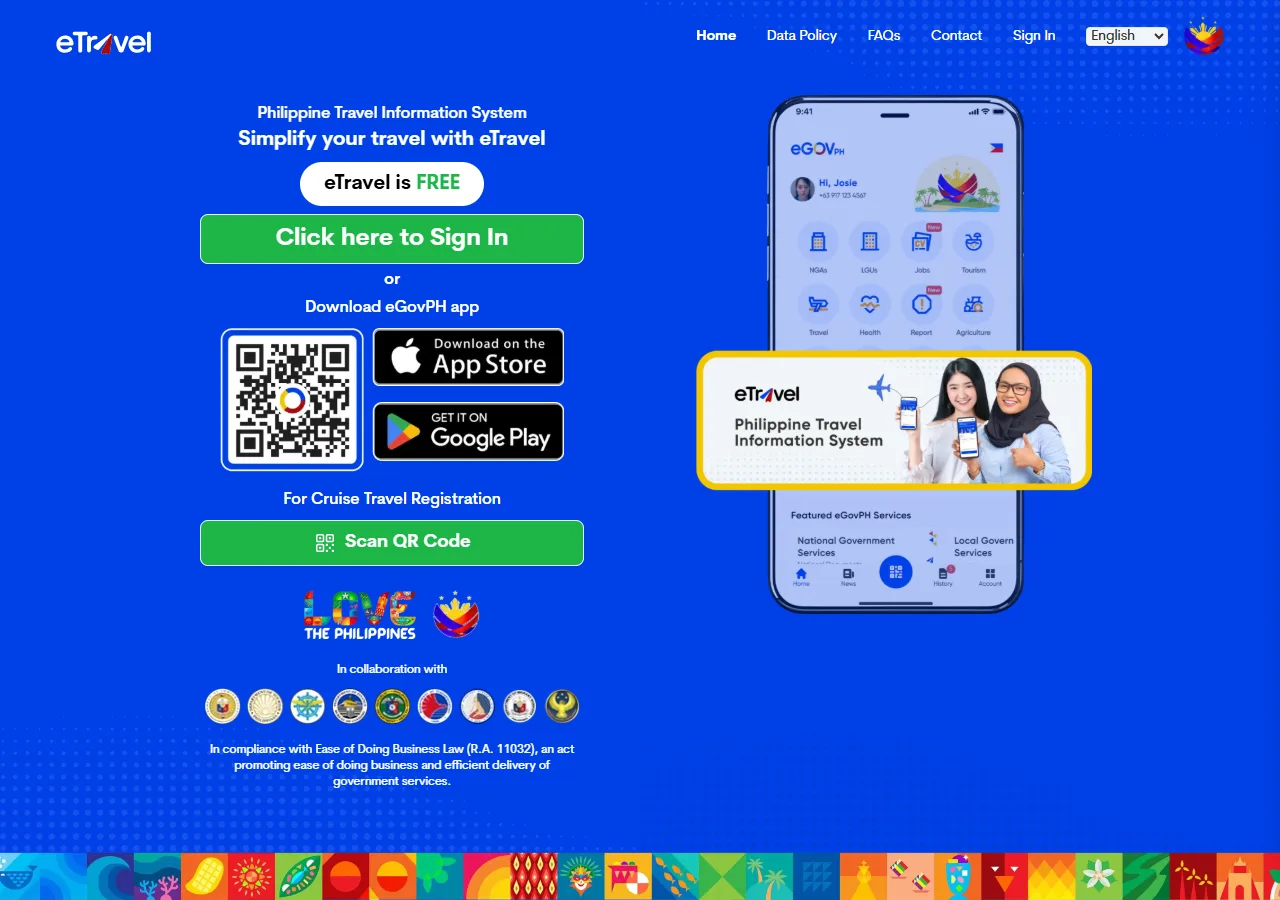
📸 About This Screenshot
This screenshot shows the latest official electronic entry card landing/login page. The step-by-step text guide below is based on the actual form structure, with detailed field instructions and common mistake warnings for your reference.
Email Address
emailRequiredEnter a valid email address that you have access to. This will be used for account verification and to receive your eTravel QR code. Use the same email for both arrival and departure declarations if you are a returning traveler.
⚠ Common Mistakes
- •Using a typo in the email address, which prevents receiving the QR code
- •Using a shared email that may not be accessible later
Password
passwordRequiredCreate a strong password with at least 8 characters, including uppercase, lowercase, and numbers. You will need this to log in again for your departure declaration, so store it securely.
⚠ Common Mistakes
- •Using a weak password that is easy to guess
- •Forgetting the password and not storing it securely
2Personal Information
4fields
Personal Information
4fields
This section captures your identity information. One rule: copy everything directly from your passport. No nicknames, no shortened names.
First Name
textRequiredEnter your first name exactly as it appears on your passport. Do not use nicknames or abbreviations. If you have a middle name, it will be asked separately. Ensure no extra spaces or special characters.
⚠ Common Mistakes
- •Using a nickname instead of the legal name
- •Adding a suffix like 'Jr.' in the first name field
Last Name
textRequiredEnter your last name (surname) exactly as on your passport. For married women, use the surname as it appears on the passport, not the spouse's surname unless it is on the passport.
⚠ Common Mistakes
- •Using a maiden name if the passport has the married name
- •Spelling the surname incorrectly due to accents or special characters
Date of Birth
dateRequiredEnter your date of birth in the format MM/DD/YYYY (month/day/year). Use the date on your passport. Double-check the year, especially if you were born in the 1900s, to avoid entering the wrong century.
⚠ Common Mistakes
- •Swapping month and day (e.g., entering 08/05 for May 8)
- •Entering the wrong year due to a typo
Nationality
selectRequiredSelect your nationality from the dropdown list. This should match the country that issued your passport. If you have dual citizenship, select the nationality of the passport you are using for this trip.
⚠ Common Mistakes
- •Selecting the country of residence instead of nationality
- •Choosing the wrong option for dual citizens (e.g., selecting the non-travel passport)
3Travel Information
3fields
Travel Information
3fields
Enter details about your flight and purpose of travel.
Arrival Date
dateRequiredEnter the date you will arrive in the Philippines, in MM/DD/YYYY format. This must be within 72 hours of your actual arrival. Do not fill this out more than 72 hours in advance, as the form may be rejected.
⚠ Common Mistakes
- •Entering the departure date instead of the arrival date
- •Filling out the form more than 72 hours before arrival
Flight Number
textRequiredEnter your flight number exactly as it appears on your ticket, including the airline code (e.g., PR103 for Philippine Airlines). Do not include spaces or extra characters. If you are arriving by sea, enter the vessel name.
⚠ Common Mistakes
- •Omitting the airline code (e.g., entering '103' instead of 'PR103')
- •Adding spaces or dashes (e.g., 'PR 103' or 'PR-103')
Purpose of Travel
selectRequiredSelect the primary purpose of your trip from the dropdown. Common options include 'Tourism', 'Business', 'Visiting Family', 'Employment', and 'Transit'. Choose the one that best matches your reason for entering the Philippines.
⚠ Common Mistakes
- •Selecting 'Tourism' when you are actually visiting family, which may affect visa requirements
- •Choosing 'Transit' if you are staying in the Philippines for more than 24 hours
4Health Declaration
2fields
Health Declaration
2fields
Answer health-related questions to confirm you are not experiencing symptoms of contagious diseases.
Do you have any symptoms of COVID-19 or other contagious diseases?
radioRequiredSelect 'Yes' if you currently have fever, cough, sore throat, or other symptoms. Select 'No' if you are symptom-free. Be honest; this information is used for health screening at the airport. If you select 'Yes', you may be subject to additional health checks.
⚠ Common Mistakes
- •Selecting 'No' to avoid delays even when having symptoms, which is a health risk
- •Misunderstanding the question and answering about past symptoms instead of current
Have you been in close contact with a confirmed case of a contagious disease in the last 14 days?
radioRequiredAnswer 'Yes' if you have been within 1-2 meters of someone who tested positive for a contagious disease for more than 15 minutes. Otherwise, select 'No'. This helps authorities assess potential exposure.
⚠ Common Mistakes
- •Underestimating what counts as close contact and answering 'No' incorrectly
- •Answering based on vaccination status rather than actual contact
5Customs Declaration
2fields
Customs Declaration
2fields
Declare any items that need to be reported to Philippine customs, such as currency, agricultural products, or restricted goods.
Are you carrying currency or other monetary instruments exceeding USD 10,000 or its equivalent?
radioRequiredSelect 'Yes' if the total value of cash, traveler's checks, and other monetary instruments you are carrying exceeds USD 10,000 (or equivalent in any currency). If 'Yes', you must declare it to customs upon arrival. Otherwise, select 'No'.
⚠ Common Mistakes
- •Under-declaring the amount to avoid paperwork, which is illegal
- •Forgetting to include traveler's checks or other monetary instruments in the total
Are you bringing any agricultural products, plants, or animal products?
radioRequiredSelect 'Yes' if you are carrying fruits, vegetables, seeds, meat, dairy, or other biological products. These are subject to quarantine inspection. If you are unsure, it is safer to declare. Failure to declare can result in fines.
⚠ Common Mistakes
- •Assuming packaged snacks are exempt and not declaring them
- •Forgetting to declare items in checked luggage
6Review and Submission
2fields
Review and Submission
2fields
Review all your answers, submit the form, and save your QR code for presentation upon arrival.
Confirmation of Accuracy
radioRequiredCheck the box or select 'Yes' to confirm that all information provided is true and correct. This is a legal declaration. False statements can lead to penalties or denial of entry.
⚠ Common Mistakes
- •Skipping this confirmation and being unable to submit
- •Not reading the statement and accidentally confirming incorrect information
QR Code
textRequiredAfter submission, a QR code will be generated. Take a screenshot and save it to your phone's photo library. Also, consider printing a copy as a backup. You will need to present this QR code to authorities upon arrival. Do not rely on airport Wi-Fi to load the page.
⚠ Common Mistakes
- •Not saving the QR code and losing access to the email
- •Relying on airport Wi-Fi to show the QR code, which may be unreliable
🎯 Rehearse before you go?
Rehearse the official form field by field — guidance and common pitfalls inline. Export your answers as a reference card, then breeze through the real form.
💬 Travel Experience Exchange
Applying or already traveled? Share your entry/exit experience, real problems encountered, or recent changes to help fellow travelers — our editors will also respond regularly.
- Share pitfalls or surprises during your entry process
- Let others know about recent entry procedure changes
- Read the guide and warnings above before asking
- Comments are moderated by the editorial team; inappropriate content is removed
💬 Leave a comment
Just enter your name and comment.