Cuba D'Viajeros
Arrival Card Americas | D'Viajeros
August 7, 2026
✈️ Before You Go
Before you book that Havana flight, know this: Cuba D'Viajeros isn't a visa you apply for months ahead—it's a mandatory entry card (tarjeta del turista) for most tourists, including US citizens under general license categories. Realistically, If you buy it online from a reputable provider, it can arrive in 2–5 business days, but many airlines sell it at check-in for around $50–85, making it a literal 5-minute process. But something the official instructions rarely mention: The card is two-part: you keep one half, immigration keeps the other, and losing your half means a fine and a grilling at departure. Seasoned travelers suggest fill it out in black ink only, and use your passport name exactly—even a missing middle initial can trigger a 30-minute secondary inspection. Also, don't buy from street hustlers; only official airline counters or licensed online vendors. Pack a spare passport photo—some airports require it for the card, though most don't. Finally, keep the card separate from your cash; it's not a stamp, and you'll need it to leave.
⚠️ Important Notes
Fill Time Window
Complete within 72 hours before departure. Submit and present the QR code at the airport.
Cost
Free
0- • All travelers arriving in Cuba must complete the D'Viajeros electronic declaration, including children
- • D'Viajeros is completely free — avoid third-party sites charging service fees
- • Most nationalities also need a Cuba Tourist Card (Tarjeta del Turista) separately — D'Viajeros alone is not sufficient
- • Answer health declaration and goods declaration questions truthfully
- • Screenshot the QR code for offline access — Cuba airport network coverage is very limited
- • The D'Viajeros website uses English (lang='en') but has translate='no' set — browser translation is disabled
- • The Cuba Tourist Card and D'Viajeros are two completely separate systems — both must be obtained; neither replaces the other
- • Accommodation address must match your booking — when staying at a Casa Particular (private guesthouse), provide the full address and host name
- • Answer health declaration truthfully — travelers with fever or symptoms will undergo additional screening which may affect entry
📋 Field Guide
| Field Name | Tips & Notes |
|---|---|
Personal Data Personal Data | Must match the passport exactly — mind letters vs numbers. |
Flight Details Flight Details | Enter the actual flight number, airline and arrival date. |
Accommodation in Cuba Accommodation in Cuba | Provide your hotel or casa particular address — it may be verified on arrival. |
Health Declaration Health Declaration | Declare your health status honestly, including any symptoms. |
Step-by-Step Guide
💡 Before You Start
Before you start, prepare your passport, flight number and your accommodation address in Cuba. Fill the form within 72 hours before your flight. The service is completely free — beware of paid agency sites. Every traveller must complete D'Viajeros, including children. Most nationalities must ALSO obtain the Cuban Tourist Card (Tarjeta del Turista) separately — the two systems are independent and both are required. Screenshot the final QR code and keep it offline: airport Wi-Fi in Cuba is very limited.
1Open the D'Viajeros Portal
1fields
Open the D'Viajeros Portal
1fields
The official D'Viajeros portal (dviajeros.mitrans.gob.cu) of Cuba's Ministry of Transport. No account is needed — click "Crear Formulario" (Create Form) to start a new declaration. Use "Editar Formulario" to change one you already submitted (you need the form code you received). The site offers 7 interface languages, including English, under the Idioma menu.
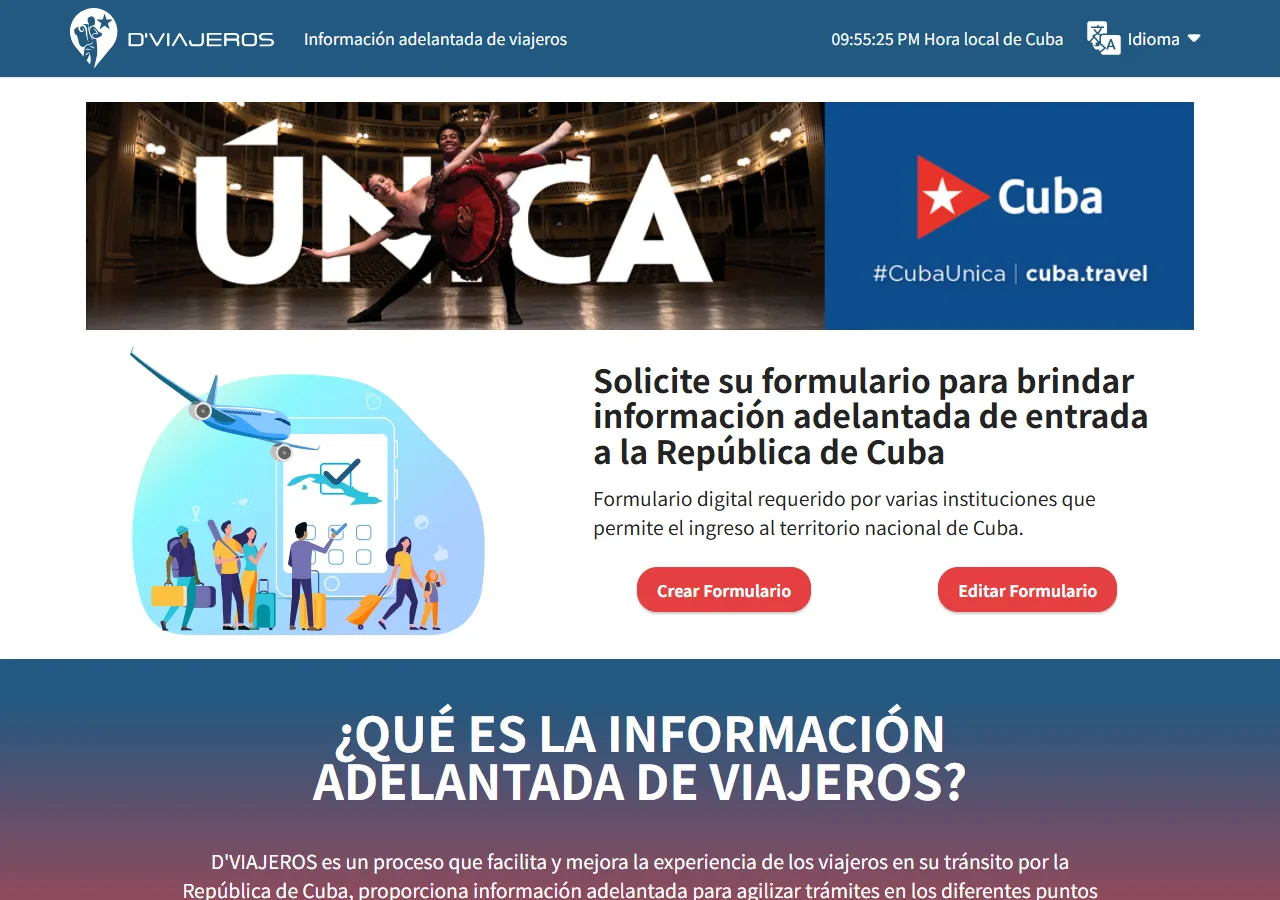
📸 About This Screenshot
This screenshot shows the latest official electronic entry card landing/login page. The step-by-step text guide below is based on the actual form structure, with detailed field instructions and common mistake warnings for your reference.
Crear Formulario (Create Form)
buttonRequiredClick "Crear Formulario" — the personal-data form opens directly, no registration or login. You can fill it within 72 hours before your flight; the QR code generated at the end is shown at the airport.
⚠ Common Mistakes
- •Thinking an account is required — there is no login at all
- •Confusing "Editar Formulario" with starting a new declaration
2Personal Data
4fields
Personal Data
4fields
The first form page collects your names, birth date, gender, citizenship, passport number and country of permanent residence. Fields marked (*) are required. The citizenship and residence fields are searchable dropdowns — type part of the country name (e.g. "Jap") to filter the list. Entering your email is optional but recommended: your private form code is sent to it so you can edit the form later.
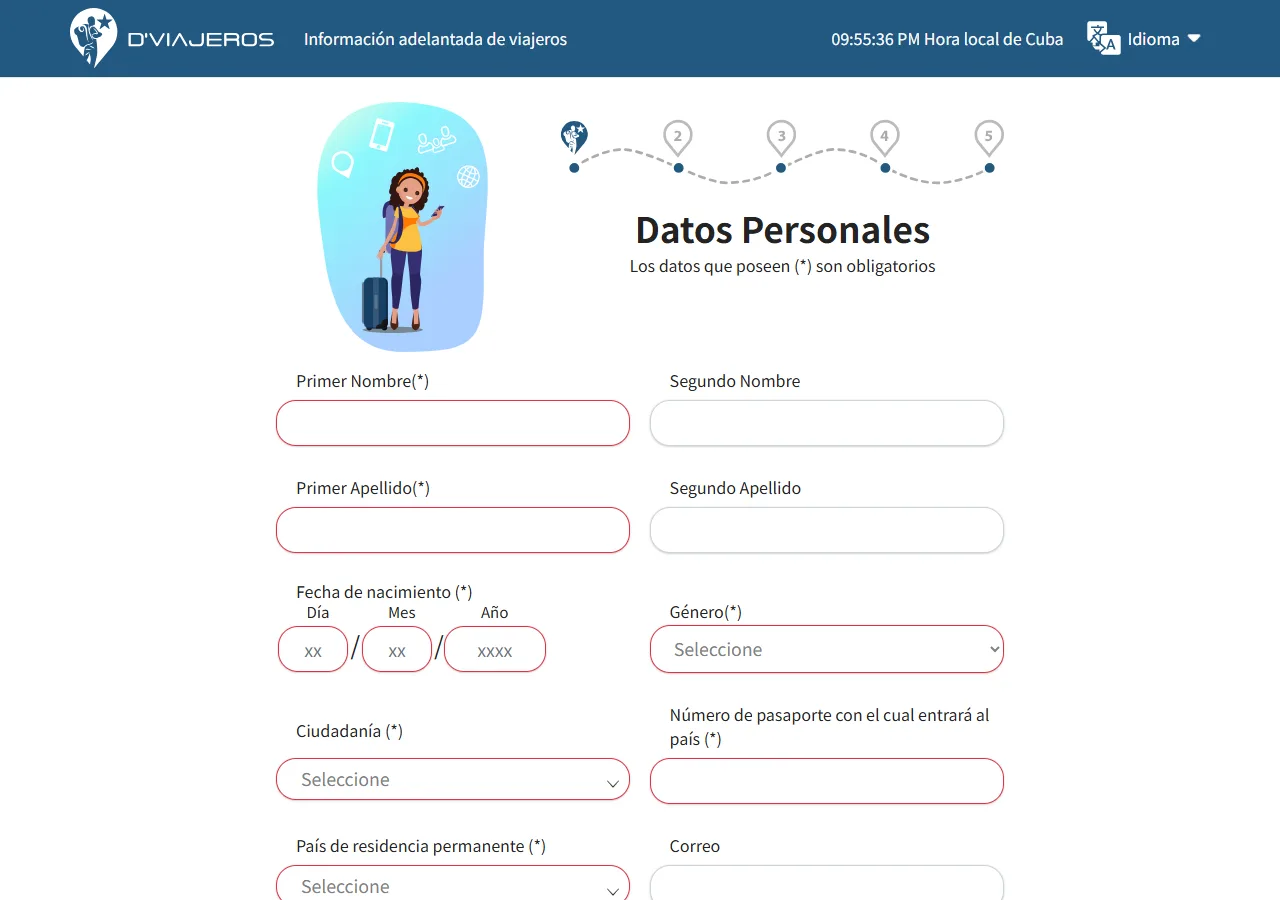
📸 About This Screenshot
This screenshot shows the latest official electronic entry card landing/login page. The step-by-step text guide below is based on the actual form structure, with detailed field instructions and common mistake warnings for your reference.
First Name / Last Name
textRequiredPrimer Nombre and Primer Apellido are required; second name and second surname are optional. Spell everything exactly as in your passport.
⚠ Common Mistakes
- •Using a nickname instead of the passport name
Date of Birth
dateRequiredThree boxes: Day / Month / Year. Match your passport exactly.
⚠ Common Mistakes
- •Swapping day and month
Citizenship & Country of Residence
selectRequiredTwo searchable dropdowns (Citizenship and Country of permanent residence). Click the field and type part of the country name to filter, then click the matching option. Don't type a city name — these lists contain countries only.
⚠ Common Mistakes
- •Typing a city name into the country dropdown
- •Leaving either field empty — Siguiente (Next) will not advance
Passport Number
textRequiredThe passport you will use to enter Cuba. Copy it exactly — mind O vs 0 and 1 vs I.
⚠ Common Mistakes
- •Entering 0 as O or 1 as I
3Contact Details & Save
2fields
Contact Details & Save
2fields
The lower part of the personal-data page has the optional email and phone fields, plus the Regresar (Back) and Siguiente (Next) buttons. Fill the email if you can — your private form-editing code is sent there, and it is the only way to edit the form later.
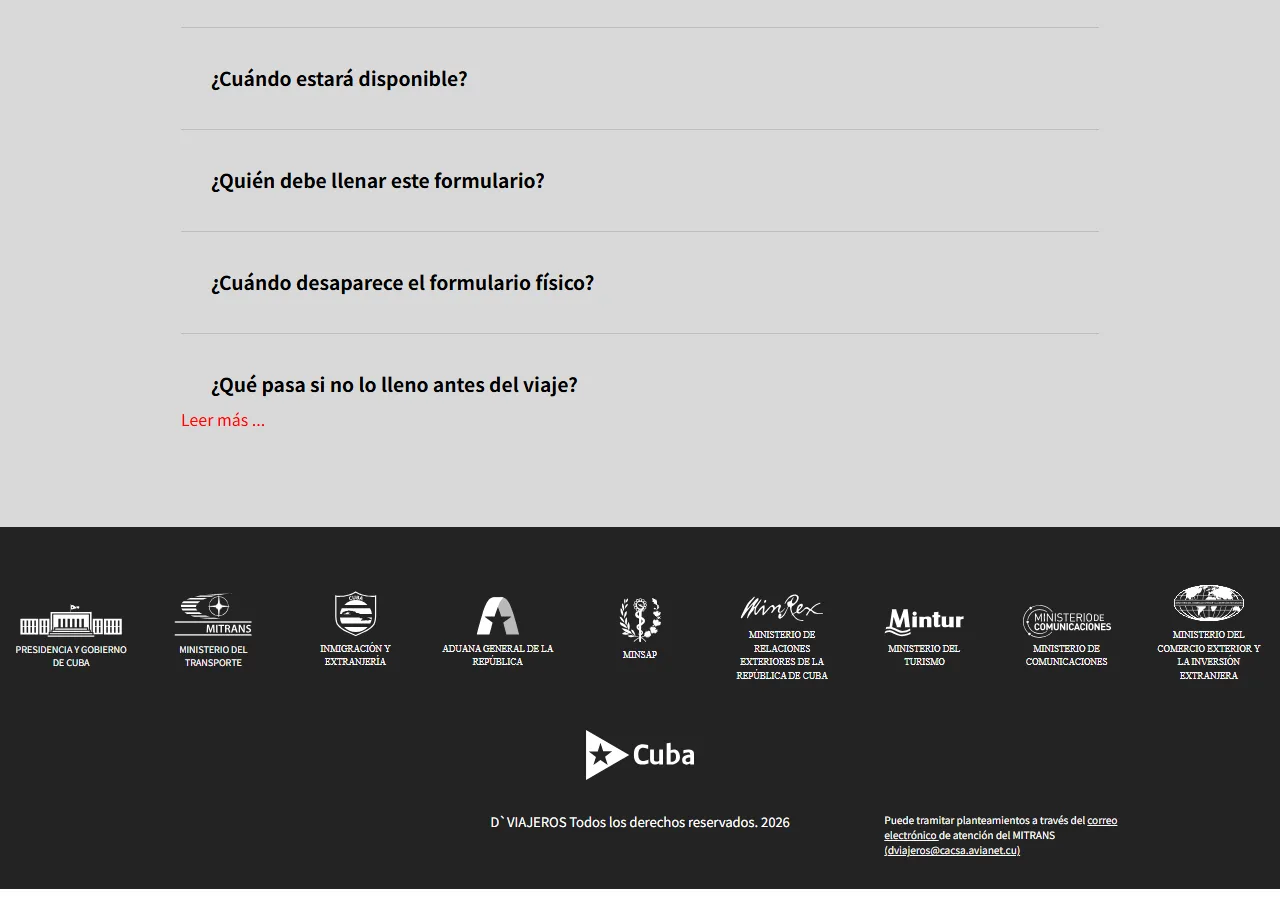
📸 About This Screenshot
This screenshot shows the latest official electronic entry card landing/login page. The step-by-step text guide below is based on the actual form structure, with detailed field instructions and common mistake warnings for your reference.
Optional but strongly recommended. The system sends your private code here for editing the form later. Double-check the spelling.
⚠ Common Mistakes
- •Skipping the email, then having no way to edit the form after submission
Siguiente (Next)
buttonRequiredMoves to the travel-details page. If nothing happens, a required field (marked *) is empty — the incomplete fields are highlighted, usually the citizenship or residence dropdowns.
⚠ Common Mistakes
- •Clicking Next repeatedly without noticing the highlighted missing fields
4Travel Details
2fields
Travel Details
2fields
After personal data, the form asks about your trip: airline, flight number and arrival date, then your accommodation in Cuba. Enter the actual arrival flight. For the address, use your hotel name and full address, or for a casa particular (private homestay) the complete address and the host's name — it should match your booking and may be checked on arrival.
Flight Details
textRequiredAirline, flight number and arrival date of the flight that brings you into Cuba — as printed on your boarding pass.
⚠ Common Mistakes
- •Entering a connecting flight instead of the arrival flight
Accommodation in Cuba
textRequiredHotel name and full address, or for a casa particular the complete address and the host's name. Keep it consistent with your booking — immigration may verify it.
⚠ Common Mistakes
- •Entering only the city name without a specific address
- •The address not matching the booking
5Health & Customs Declaration
2fields
Health & Customs Declaration
2fields
The next section asks health questions and items you are carrying. Answer honestly: travellers with fever or other symptoms may be asked to undergo additional checks on arrival. Declare the goods you bring so customs processing is smooth.
Health Questions
radioRequiredAnswer every question truthfully. Declaring fever or other symptoms may lead to extra checks on arrival — hiding them can cause more serious problems.
⚠ Common Mistakes
- •Answering 'no' to everything without reading, then being flagged during arrival screening
Items Declaration
radioRequiredDeclare the items you are carrying truthfully so customs clearance is quick and without surprises.
⚠ Common Mistakes
- •Omitting to declare restricted or high-value items
6Confirmation & QR Code
1fields
Confirmation & QR Code
1fields
Review your answers on the final page and submit. The system generates a QR code instantly — screenshot or save it offline, because airport Wi-Fi coverage in Cuba is very limited and you must show the code on arrival. Remember: D'Viajeros is free and is required for every traveller including children, but it does NOT replace the Cuban Tourist Card (Tarjeta del Turista) that most nationalities also need — the two are separate systems and both are required.
QR Code
buttonRequiredScreenshot the QR code and keep it offline on your phone — airport Wi-Fi in Cuba is very limited. Show it on arrival along with your passport and tourist card.
⚠ Common Mistakes
- •Relying on airport Wi-Fi to open the saved form online
- •Thinking D'Viajeros replaces the Cuban Tourist Card
💬 Travel Experience Exchange
Applying or already traveled? Share your entry/exit experience, real problems encountered, or recent changes to help fellow travelers — our editors will also respond regularly.
- Share pitfalls or surprises during your entry process
- Let others know about recent entry procedure changes
- Read the guide and warnings above before asking
- Comments are moderated by the editorial team; inappropriate content is removed
💬 Leave a comment
Just enter your name and comment.